In the age of e-commerce and digital services, online payment solutions have become essential for every business owner and service provider. At Linkin1 we are pleased to introduce a new, advanced feature for receiving payments smoothly and quickly — Quick Payment.
What is Quick Payment?
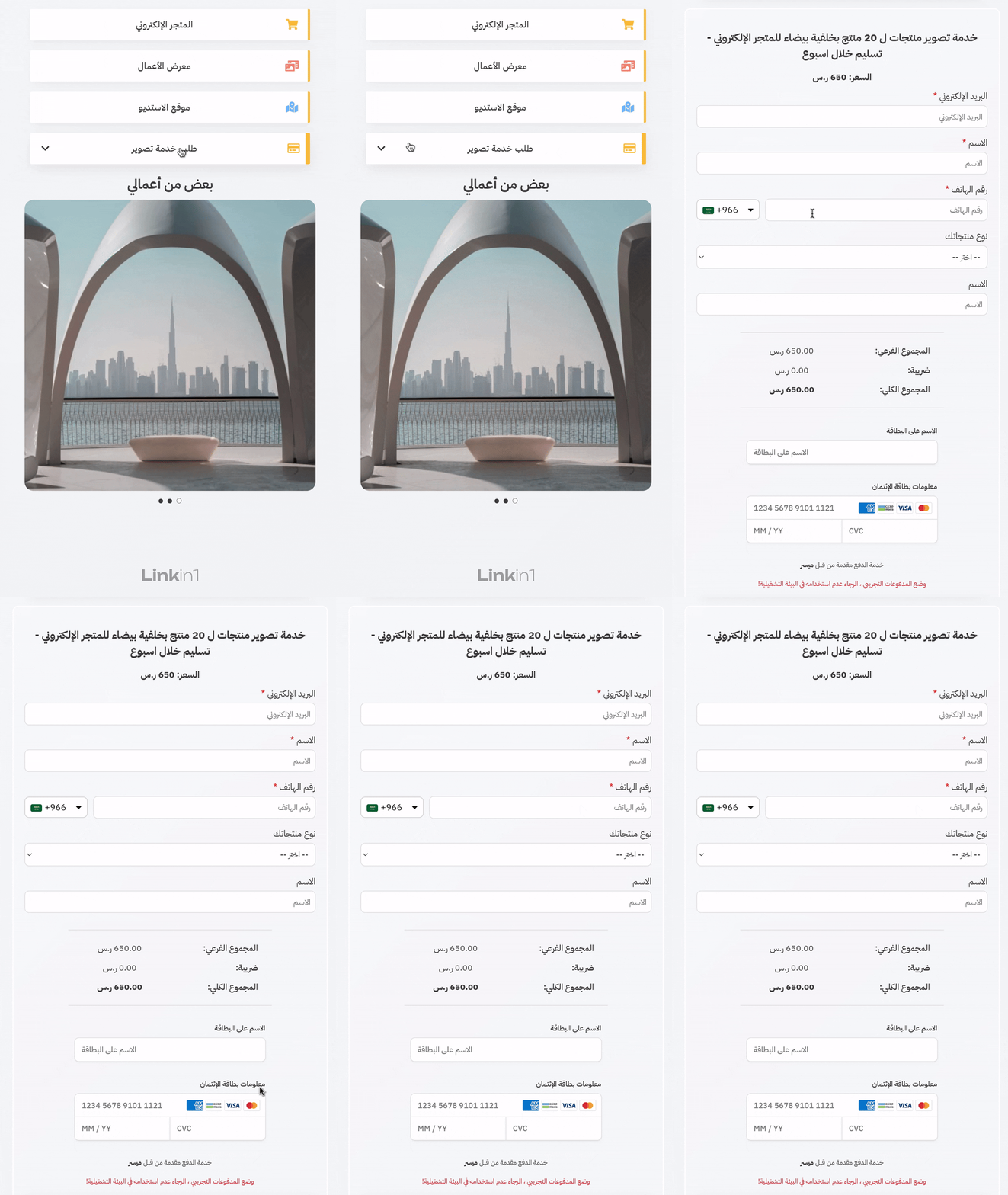
If you offer services or consultations and want to collect payments through your Linkin1 page quickly and easily, Quick Payment is the answer. This app lets you add a payment button to your page that looks like any regular button — but when clicked, it opens a custom form the customer fills in before paying.
What makes it unique: the buyer needs no account, and completing the payment takes no more than 120 seconds! That means a smooth checkout that raises completion rates and cuts cart abandonment.
The highlights of the Quick Payment app
1. Freely customisable fields
Quick Payment ships with ready-made and custom fields to fit your needs:
Ready-made fields:
- Name
- Phone number (with a country-code picker)
- Country (a dropdown of all Arab countries)
- Date of birth
Custom fields:
- Short text
- Long text
- Dropdown list
- Single choice (radio)
- Checkbox
- File upload (for photos and documents)
- Date
2. Flexible field management
Quick Payment gives you full control over what you ask your customers for:
- Reorder fields freely: arrange them to match your needs and the flow of the data you collect.
- Enable or disable fields: choose exactly which fields the buyer sees, keeping data entry simple.
- Required or optional: decide whether each field is mandatory or optional, based on how important the data is to you.
3. A complete buyer experience
To guarantee a great purchase experience and positive engagement:
- A custom post-purchase message: write a thank-you note or extra instructions that appear to the buyer right after payment.
- Button visibility control: set a specific date for the payment button to appear on your page — perfect for time-limited offers.
Available payment methods
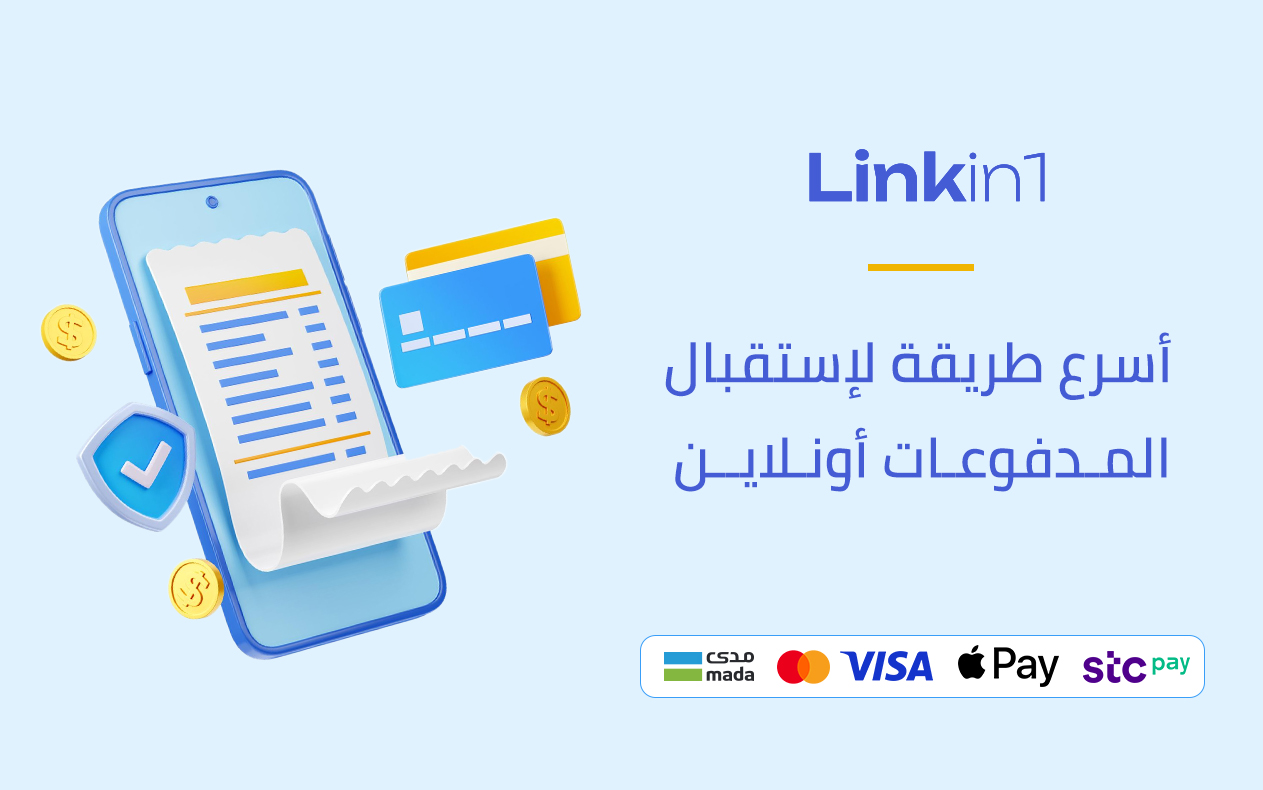
Quick Payment currently accepts payments in Saudi riyals through the Moyasar payment gateway. Moyasar is one of the leading payment gateways in Saudi Arabia, offering a wide range of online payment methods to suit every customer.
The Moyasar payment gateway accepts:
- mada
- Visa
- STC Pay
- Apple Pay
- Mastercard
This variety of payment methods lets your customers pick whatever suits them best — raising completion rates and improving the experience.
How to install and use Quick Payment
Quick Payment is easy to install and use. Here is how to enable it on your Linkin1 page:
Step one: install the app
- Log in to your Linkin1 account.
- From the dashboard, open the side menu and visit the Apps page.
- Find the "Quick Payment" app and install it.
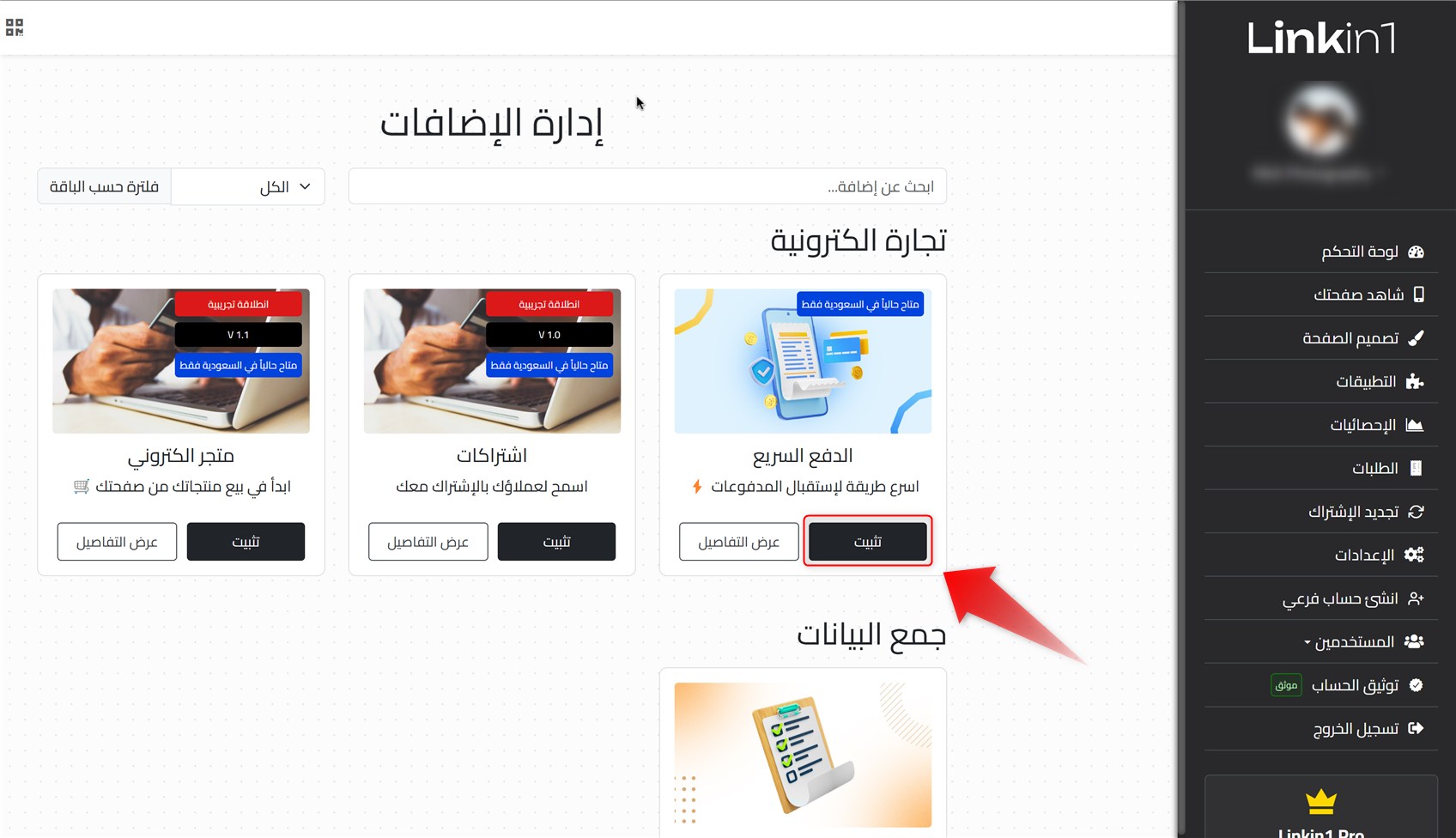
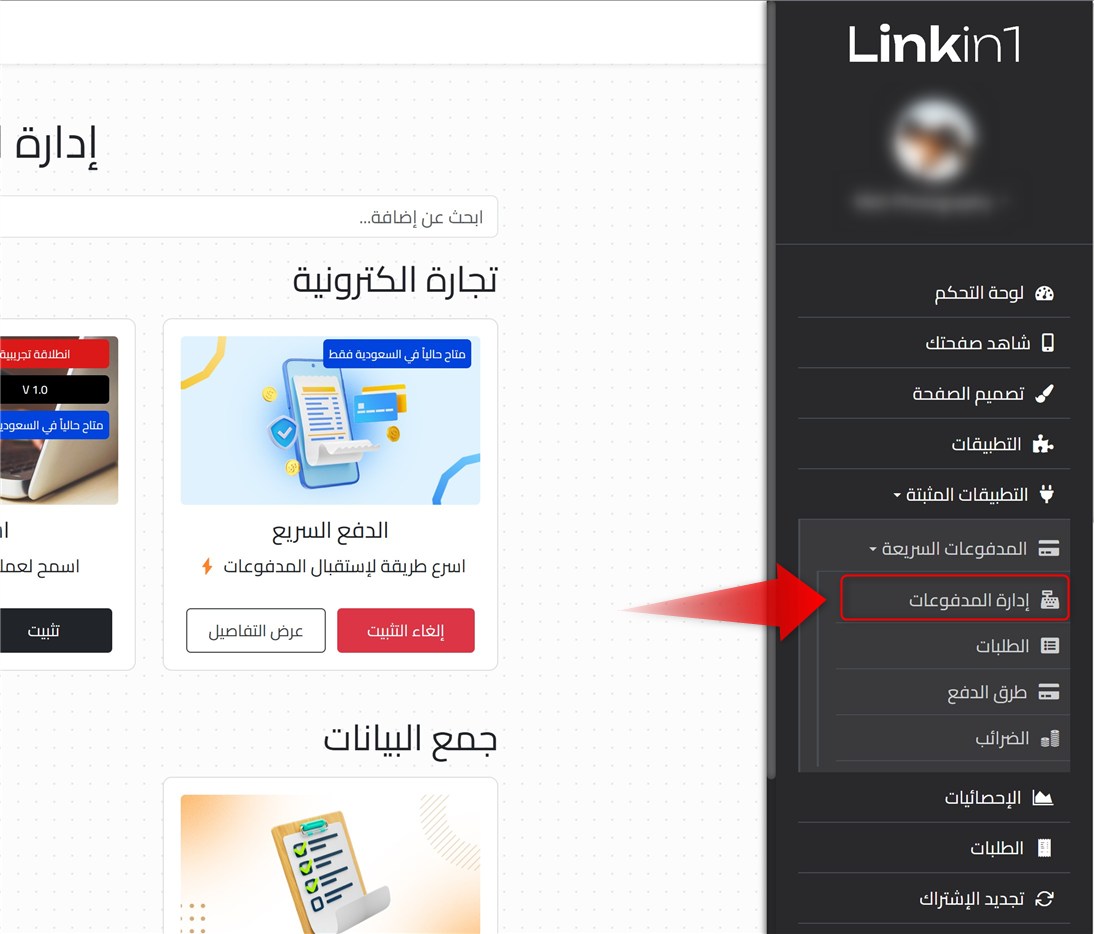
Step two: create a payment form
- From the side menu, open "Manage Payments".
- Add a new payment form.
- Set the form up to your needs — add the fields you want and customise them.
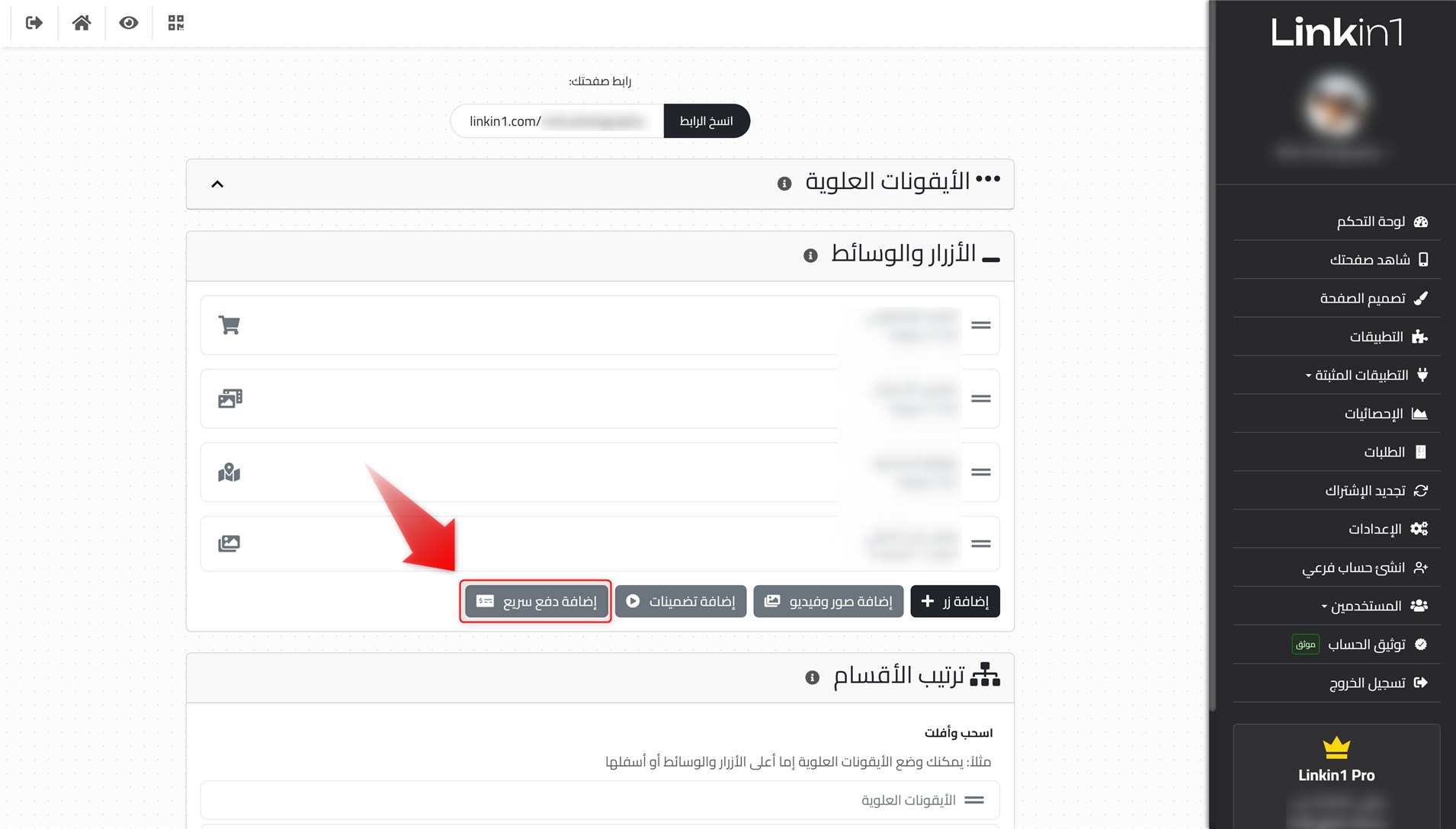
Step three: add the payment button to your page
- Go to the main dashboard page.
- Add a new payment button and pick the form you created in the previous step.
- Customise the button name, the price, and any other details.
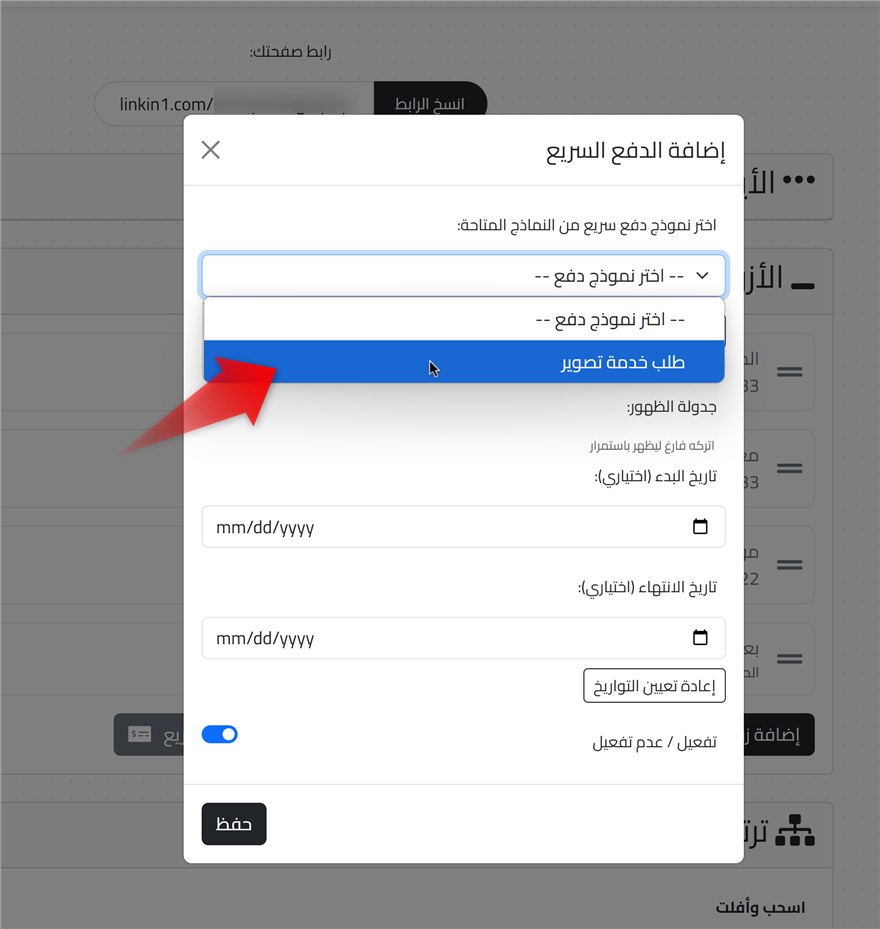
Important note: before adding the payment button, make sure your payment gateway is connected so you can receive payments.
The end result
After saving your page, the payment button appears on your Linkin1 page. When a customer clicks it, the form you built opens so they can enter their details and pay quickly and easily.
Why does your business need Quick Payment?
With online competition growing, advanced yet simple payment solutions are a key success factor for any business. Here is why Quick Payment on Linkin1 is a valuable addition to your page:
1. A simpler checkout
With Quick Payment, customers complete their purchase in under two minutes with no account required — dramatically reducing abandoned checkouts.
2. Collect only the data you need
Ask customers only for the information you actually need, keeping the purchase smooth and building trust in your services.
3. A professional look
Quick Payment adds a professional touch to your Linkin1 page, boosting customer confidence and the credibility of your services.
4. Save time and effort
Instead of handling and chasing traditional bank transfers, you now receive payments automatically through a fully integrated payment gateway.
5. Multiple payment methods
With the range of payment methods supported through Moyasar, your customers pick what suits them — and more purchases get completed.
In short
Quick Payment on Linkin1 is an advanced feature that gives business owners and service providers smooth, effective online payment solutions. With an easy interface and deep customisation, it lets you receive payments professionally while giving customers an excellent experience.
Start using Quick Payment on Linkin1 today, and take your customers' payment experience to a new level of ease and efficiency!
Ready to try Quick Payment?Log in to your account on Linkin1 and add this innovative feature to your page today!