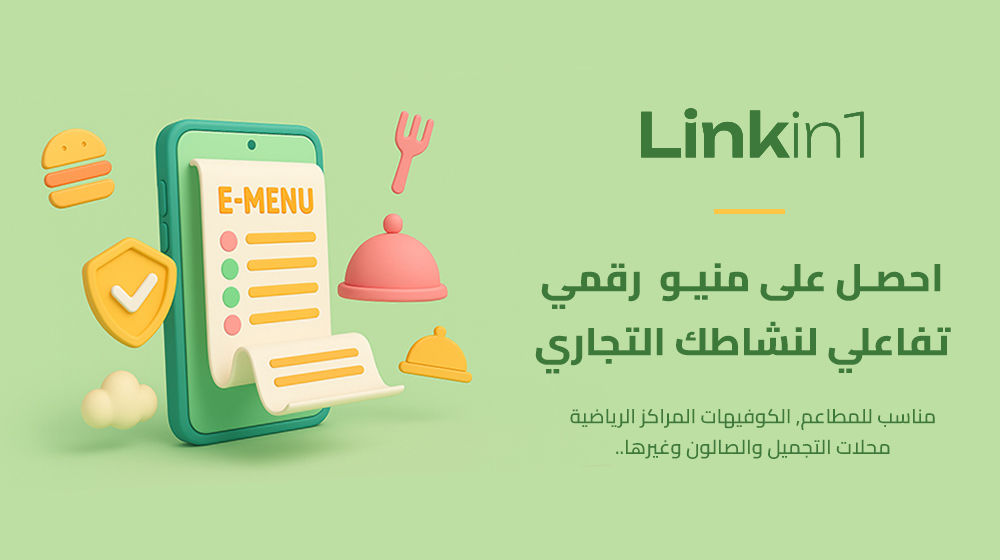
In the age of digital transformation, an e-menu has become a necessity for every business that offers products or services. The Menu app from Linkin1 gives you an interactive digital menu that is easy to update and works on every device.
What is an e-menu?
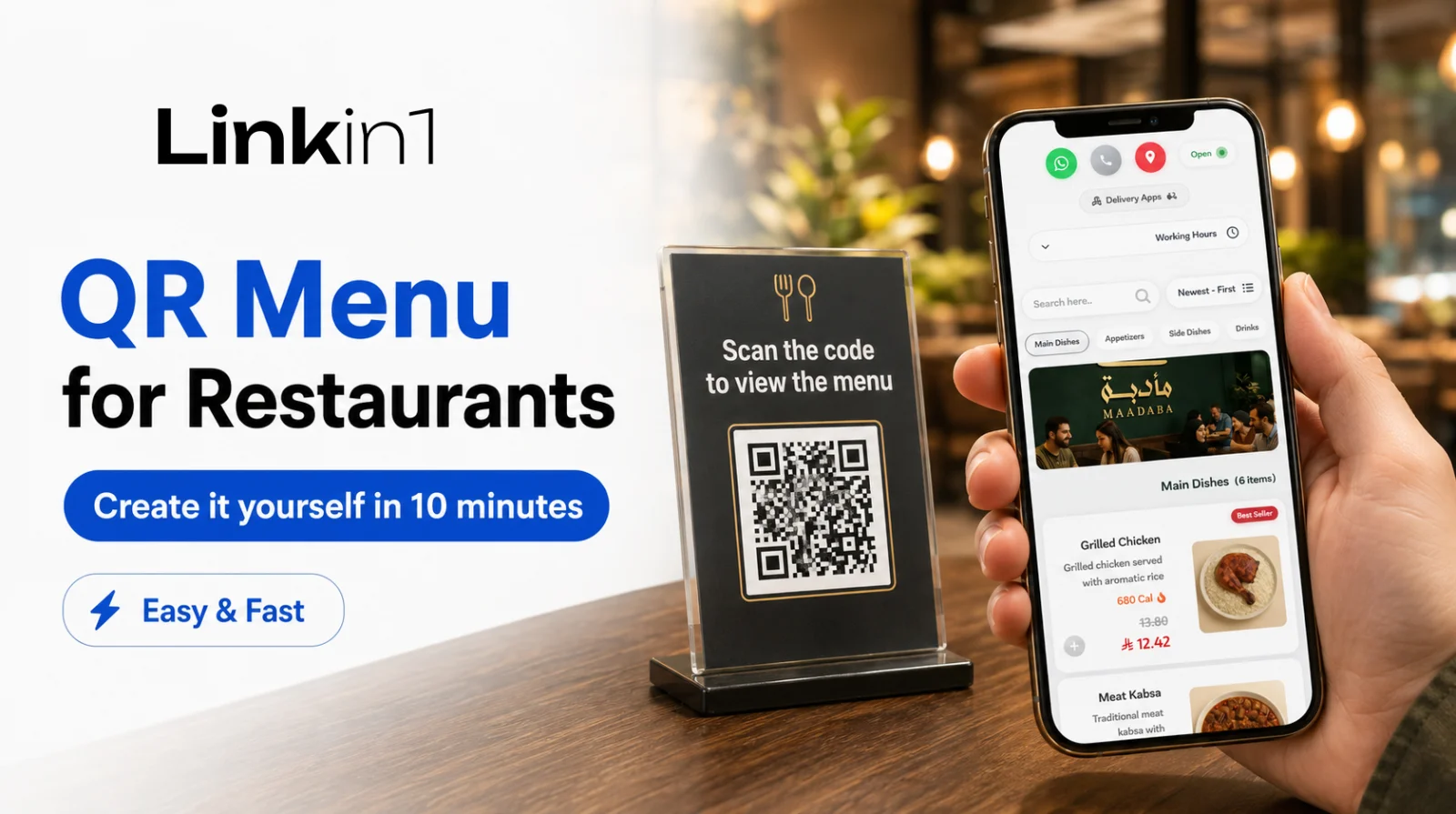
It is a digital menu served through a link or a QR code. It can be updated instantly without reprinting anything, and it shows prices, descriptions, photos — even calories.
Who is it for?
- Restaurants and cafes
- Salons and beauty centres
- Gyms and fitness clubs
- Hotels and resorts
- Sweet shops and more
Why is a digital menu better than paper?
- Instant updates to prices and offers
- Easy to share through a single link or a QR code
- Cuts printing costs and keeps up with changes
- Shows nutrition information and clear photos
- Supports managing multiple branches from one place
The key features of the Menu app on Linkin1
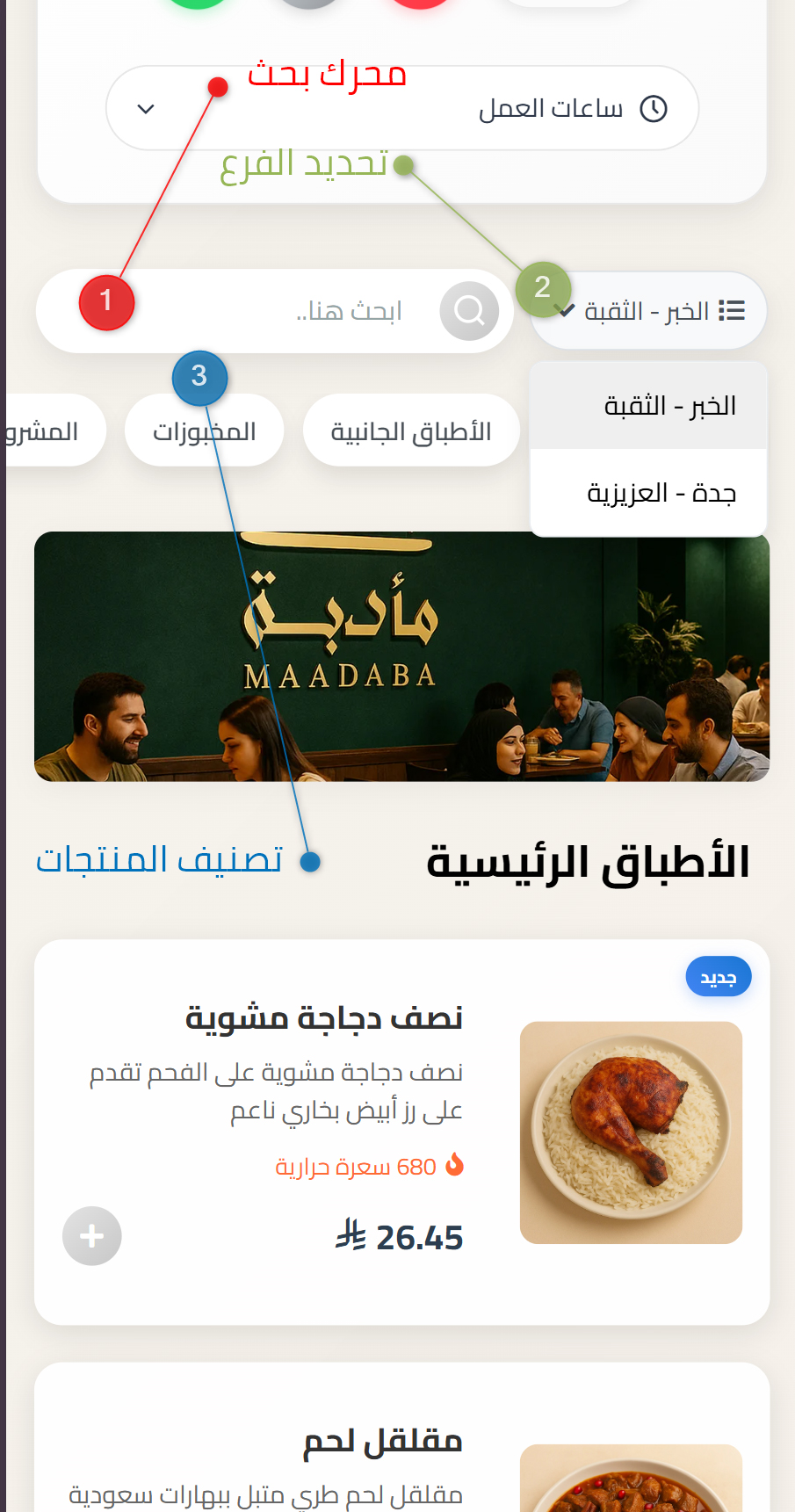
- Categories, branches, and a built-in search engine
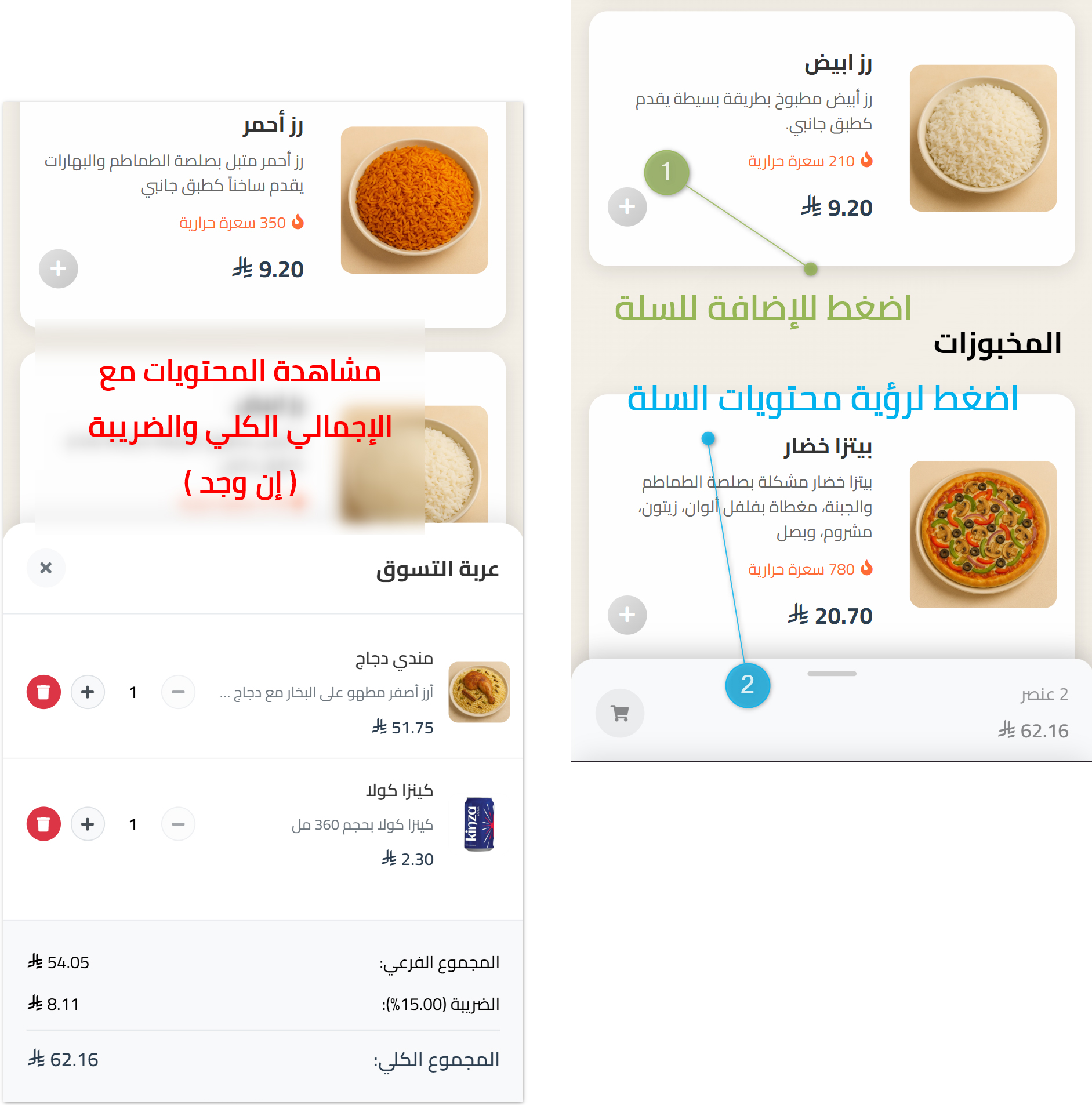
- A virtual cart that collects items and calculates the total and tax automatically
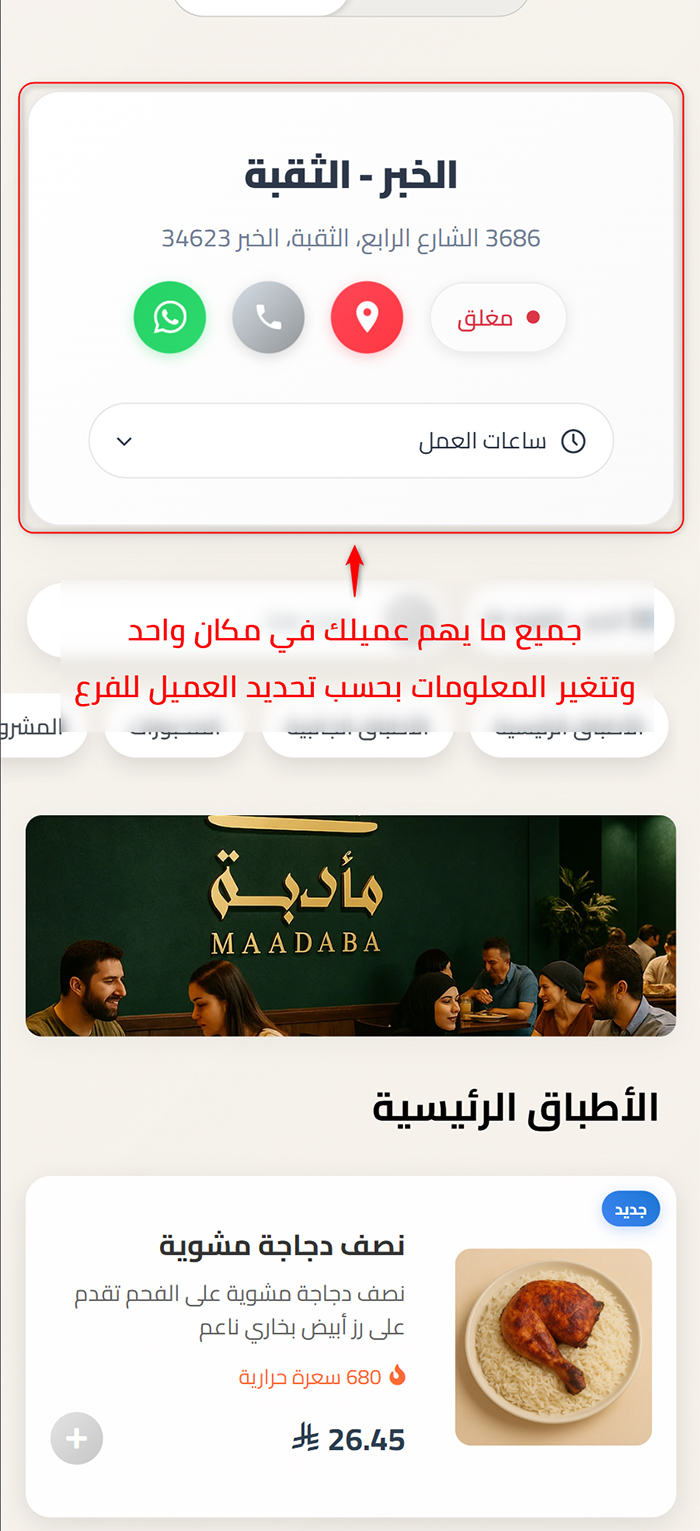
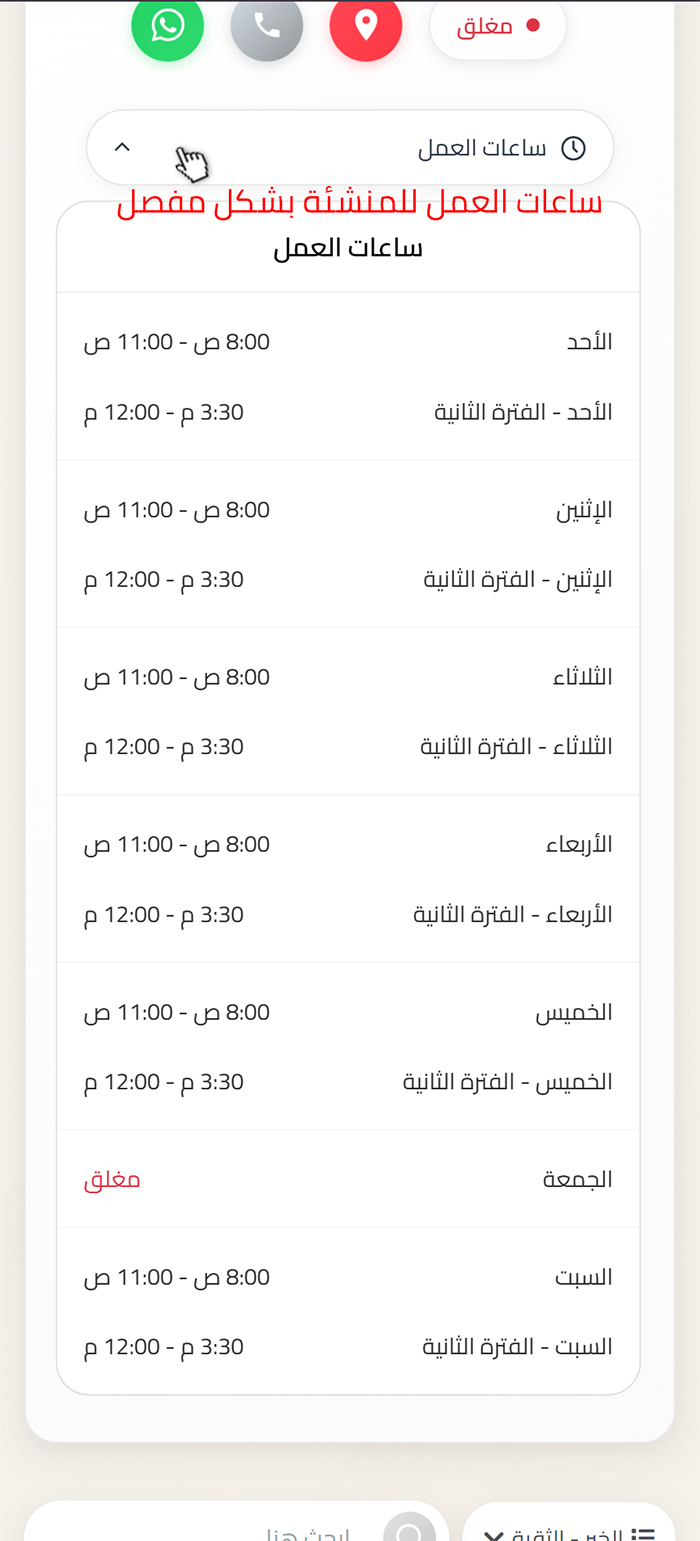
- A dedicated branch page showing the address, contact options, and an open / closed status
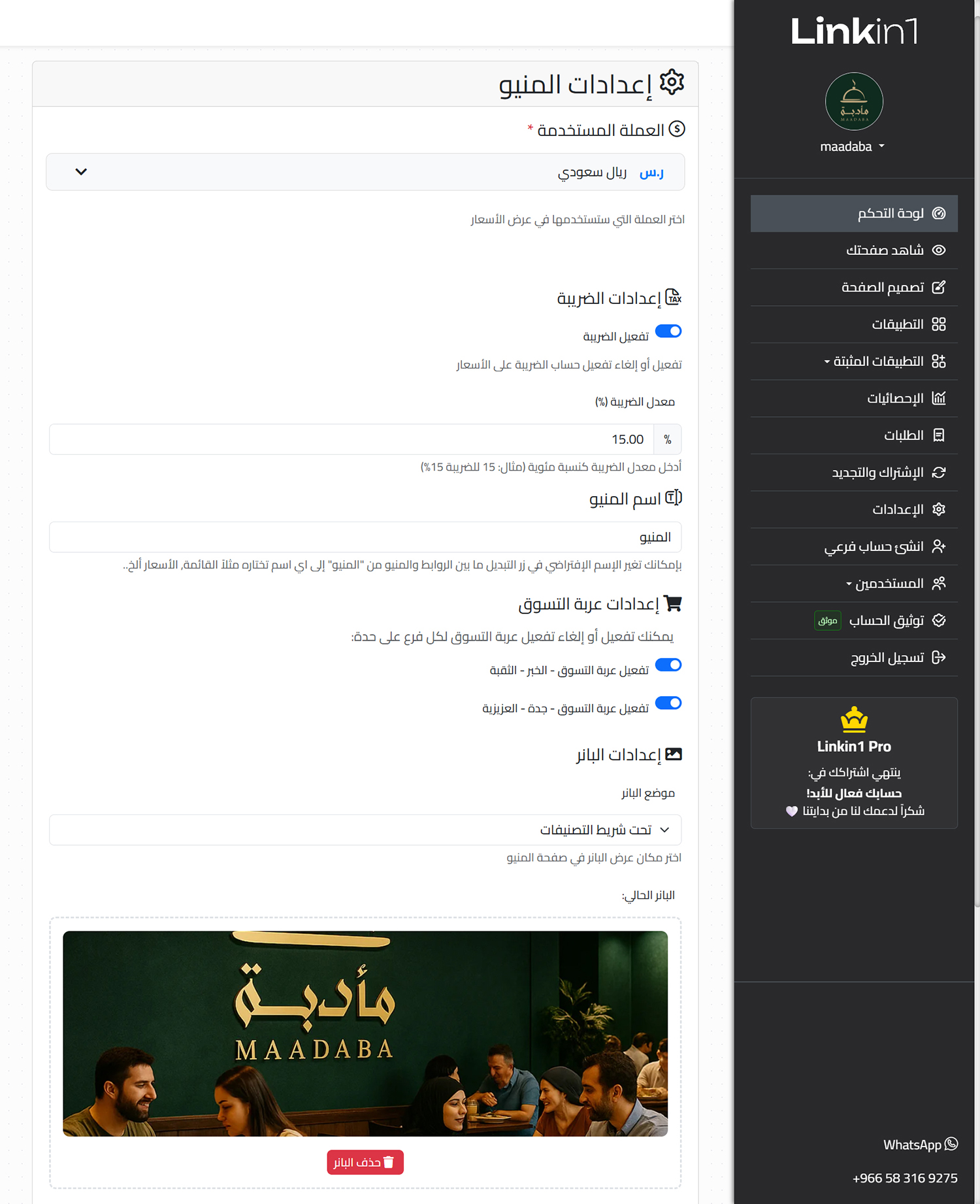
- Currency and tax settings per branch
- Time-limited discounts with a start and end date
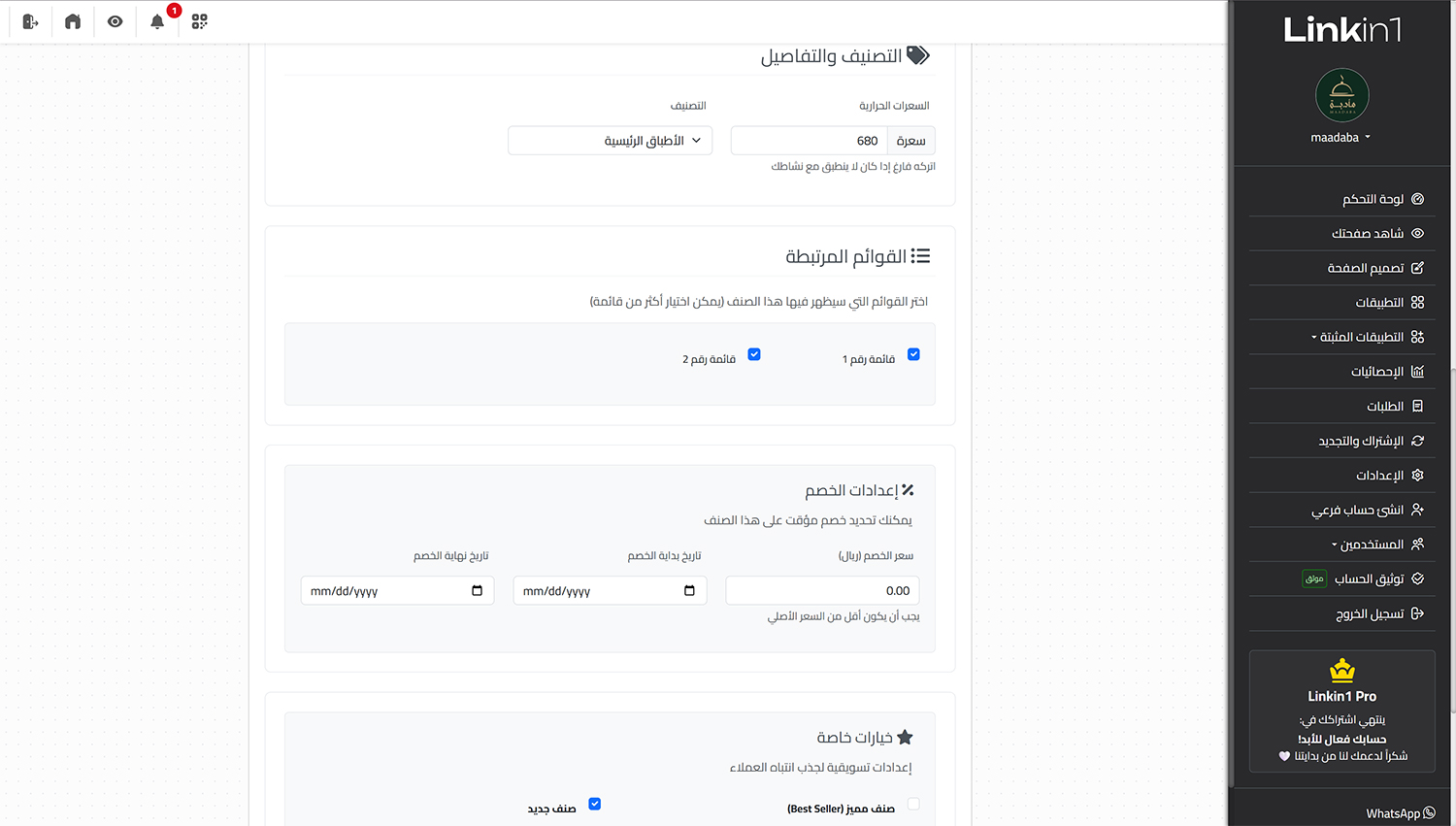
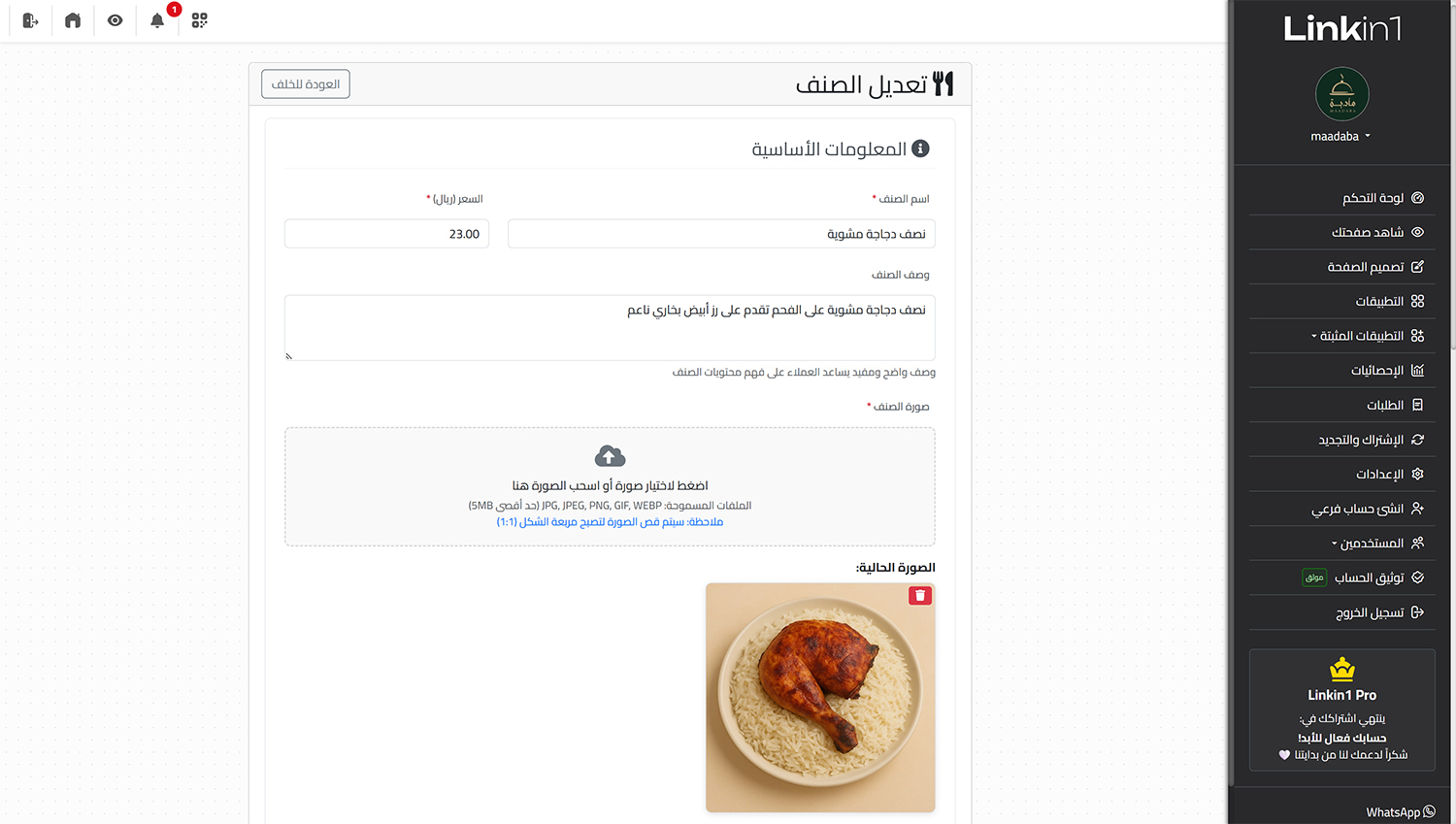
- Add new items with ease — photo, description, and calories included
- Schedule working hours and holidays for every branch
How do you create an e-menu on Linkin1?
- From your dashboard, open Apps
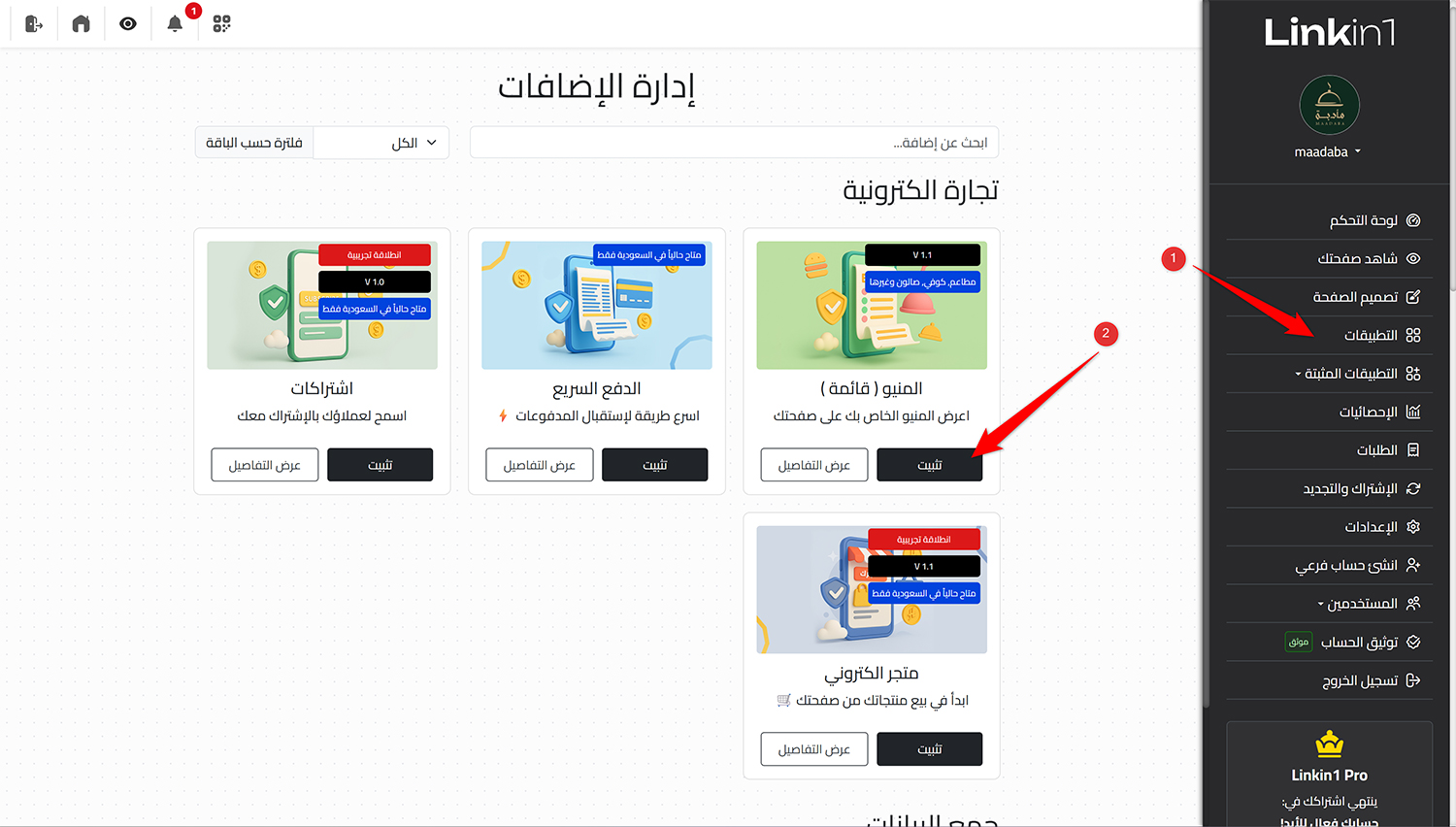
- Click Install next to the "Menu" app
- The new menu pages appear in the side navigation
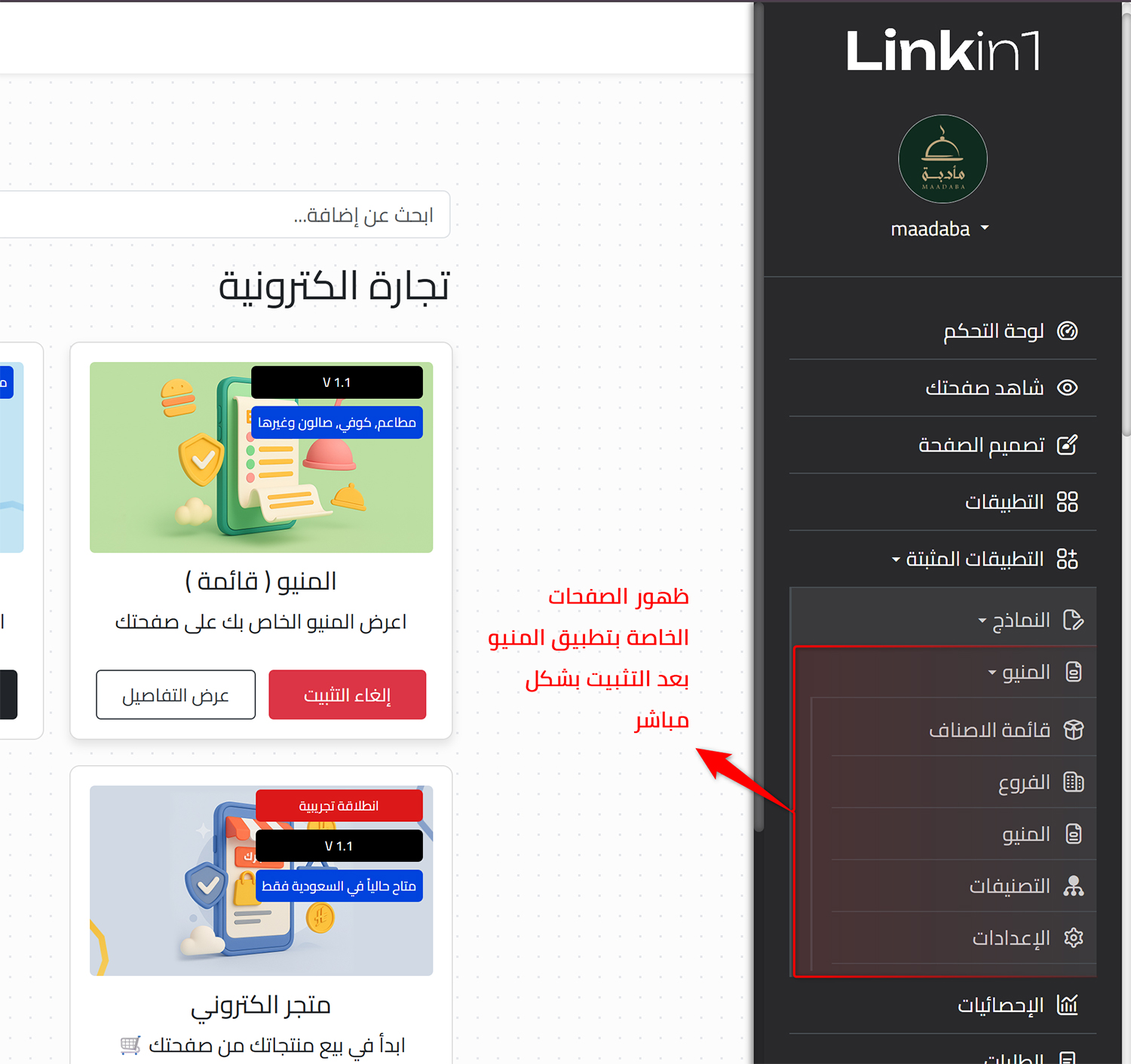
- Start adding your items and categories as needed
Try it yourself
Browse a real menu built with Linkin1:
The Maadaba restaurant menu (demo page)
In short
An interactive e-menu from Linkin1 gives you easy management, instant updates, and a great customer experience with zero printing costs. Start now and give your customers a clear, well-organised menu behind a single link.